
Experience next-level digital storage with NFC Vault — where your data stays safe, accessible, and lightning-fast.
Learn More →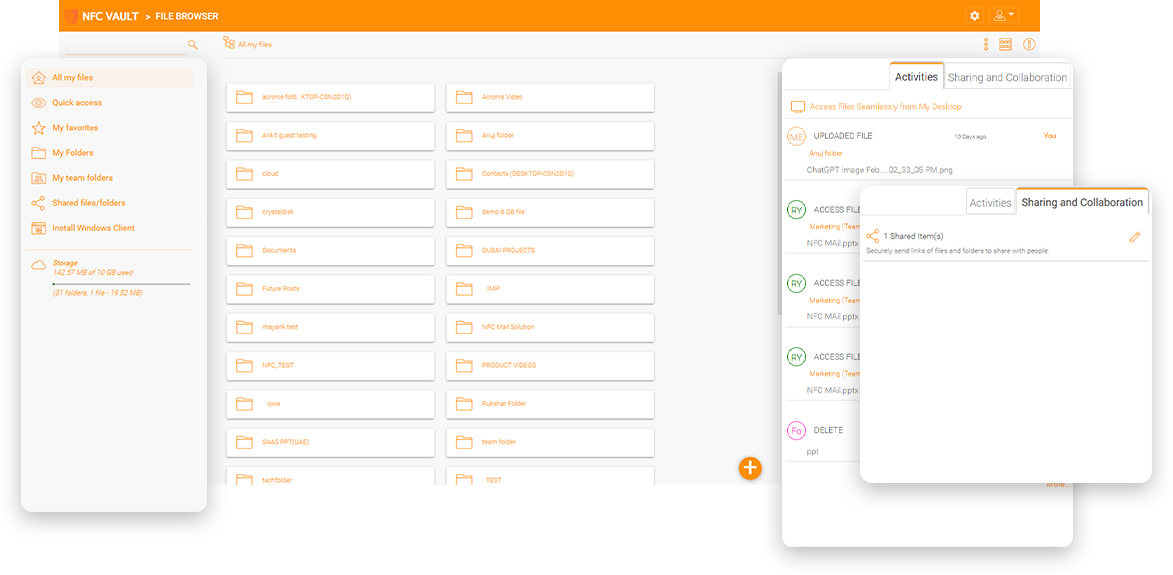
The identity system is one of the foundations of modern applications. On the on-premises network, Microsoft Active Directory is the de facto identity system that controls who can access Windows workstations and who can access which files and folders, as well as on-premises applications. When NFC Vault extends file service access to remote devices, Active Directory continues to be the identity system that controls file access
As many applications migrate to the cloud, there are also many cloud-based identity systems that help solve the single sign-on problem. Most cloud-based single sign-on solutions start by installing a synchronization agent on the Active Directory domain server and synchronize Active Directory identities with the cloud. Azure Active Directory Connect, for example, is one way to synchronize Active Directory with Azure. Many other cloud-based identity systems work the same way. OneLogin, Okta, JumpCloud all have their own sync agent that supports migrating identities to the cloud. SAML is the common integration language that connects the identity system and the cloud-based application. NFC Vault has integration with Azure AD and SAML-based single sign-on solutions.
If the NFC Vault server and Active Directory domain controllers are on the same local network, a direct LDAP/LDAPS connection is recommended for Active Directory integration. With Active Directory integration, users can continue to use their existing Active Directory identity to log in and use NFC Vault Drive applications from web browser file manager, Windows agent, macOS agent to mobile applications
If the organization already has a hybrid Azure AD /local Active Directory environment in place, the Azure AD connection is available to leverage Azure-based identity services for logging in and using the NFC Vault Drive application.
Organizations can choose their preferred identity service. For example, the most popular identity services besides Azure AD include OneLogin, Okta, Duo, and JumpCloud. All of these identity services offer a generic SAML-based single sign-on integration method. In this case, NFC Vault Drive is set up as a SAML consumer to connect to the SAML producer interface provided by identity service providers.

A traditional VPN requires a stable and active connection to the corporate firewall to function. A disruption in the Internet or an interrupted connection to the firewall interrupts employees' work with unsaved files. With offline editing, remote workers can save and edit documents without an active connection and save the files asynchronously to a corporate file server once the connection is restored.

A firewall vendor typically offers VPN without an always-on feature. Always-on VPN requires more infrastructure components such as identity servers, authentication servers, compatible clients OS, etc. However, most modern cloud applications are always-on, allowing offline access to files and folders and storing files on a local device before synchronizing them with online servers.

Accessing file servers is hardly high-performance, because when a VPN serves as an enabler, file access is done via the SMB/CIFS protocol. First of all, the SMB protocol is not a data streaming protocol with many requests and responses. If we can switch to HTTP streaming for file transfer, performance will improve. Second, HTTP-based file transfer traffic can take advantage of a global content delivery network, so HTTP is faster for cross-continent transfer.
A mapped drive over the HTTPS channel to the corporate file server is an important feature. Employees are familiar with a mapped drive and no additional training is required.
Most file sharing solutions provide manual file locking in the form of "check in" and "check out". NFC Vault provides automatic file locking by detecting requests to open files. When Microsoft Word opens a file, file locking is automatically initiated and automatically terminated when file processing is complete.
Enterprise users already have enterprise identities in Active Directory and the associated Active Directory federated service and SAML single sign-on. They do not need additional credentials to access a file sharing solution.
Finally, integration with Active Directory and NTFS permissions makes it easier for system administrators to set up permission control. The permissions features set Gladinet's solution apart from the competition.
Our team will get back to you shortly.