
Experience next-level digital storage with NFC Vault — where your data stays safe, accessible, and lightning-fast.
Learn More →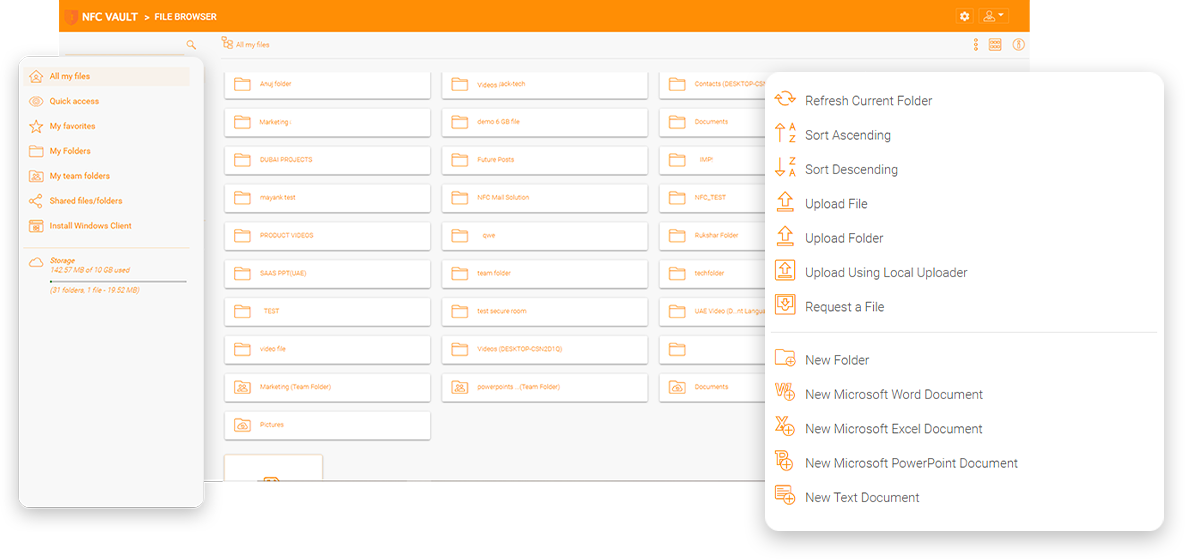
In the evolving landscape of remote work, businesses face the intricate challenge of managing NTFS permissions for file access across dispersed teams. The complexity of ensuring secure, compliant, and efficient file sharing and access control, without the traditional confines of an office network, has become a paramount concern. These challenges not only hinder operational efficiency but also pose significant security risks, making the management of NTFS permissions a critical yet cumbersome task.
Navigating a hybrid work environment complicates file sharing and access control, with performance issues and the complexity of VPNs or full VDI desktops for file access.
Ensuring data security and compliance with regulations like HIPAA becomes challenging when extending NTFS file shares to remote workers.
Managing NTFS permissions effectively for a mix of internal and external users requires a solution that integrates seamlessly without compromising security.
Without remote NTFS permission management, businesses struggle with manual configurations and potential unauthorized access, leading to operational inefficiencies.
In the era of remote work, businesses are in dire need of solutions that can manage NTFS permissions effectively across dispersed teams. However, existing solutions often fall short, leaving businesses grappling with performance issues, complexity, and inadequate security. The limitations of these solutions not only compromise data security but also hinder operational efficiency, making the management of NTFS permissions a cumbersome task.
Solutions like Citrix, while offering remote desktop access, suffer from performance lags and operational complexity, failing to provide a seamless integration with existing NTFS permissions.
Cloud solutions such as Microsoft 365 and SharePoint struggle to seamlessly integrate with on-premises NTFS permissions, posing significant security risks and compliance issues.
Competing solutions like VPN, FTP, and various cloud storage options do not offer the desired level of security and ease of access for mobile users, making remote NTFS permission management challenging.
Platforms like SharePoint and OneDrive fall short in offering effective quota management on file shares, a critical feature for controlling data usage within organizations.
Drive mapping is an important feature for online file access. End users can easily drag and drop files and folders from a set of mapped drives over the Internet without a VPN connection.
File locking is a vital feature for online file access and team collaboration to avoid conflicts. End users need to control global concurrent online file access by using file locking to maintain consistency.
Dropbox and Google Drive don’t have the same level of centralized control as a file server. You might miss the NTFS permissions and the ability to know where your data is, who has access to it and what they’re doing with it.
Maximize remote work efficiency with our advanced NTFS permission management solution. Ensure top-notch security, effortless integration, and improved operational efficiency, all in compliance with standards. Transition from complex traditional access control to a simplified, secure remote file permission management system.
Effortlessly integrates with existing NTFS permissions and Active Directory, ensuring secure, streamlined access without the need for complex VPN setups.
Maintains the integrity of your data security protocols, offering robust access control and encryption to protect sensitive information.
Reduces administrative burden with easy-to-manage permissions and storage quotas, directly from the Trifox interface, enhancing productivity.
Supports compliance with industry regulations like HIPAA, by keeping sensitive data on-premises and under control, with full auditing capabilities.

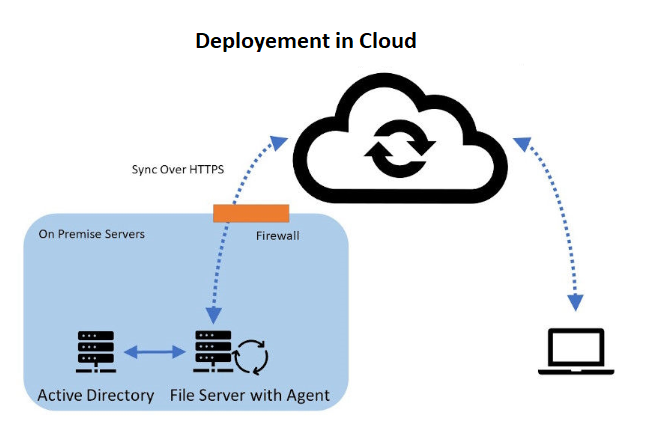
Hybrid Local File Servers
Gladinet enables seamless file server integration with support for Windows 2016/2019/2022, offering indirect & direct connection options and flexible access.
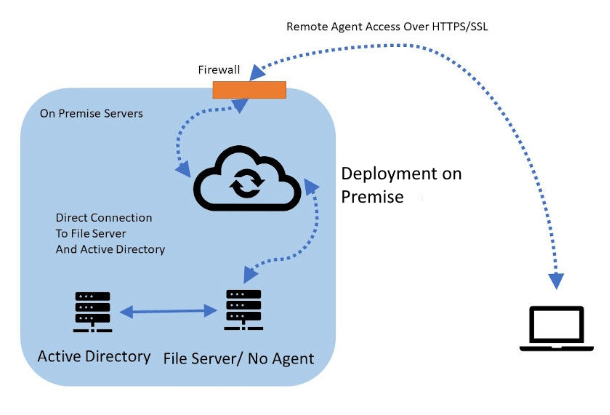
File Servers with Direct Cloud Access
Gladinet provides a direct file access solution from remote devices and mobile devices, offering a streamlined and secure method to access internal file servers via HTTPS/SSL.
The Ransomware Protection feature safeguards your business from cyber threats by monitoring file changes and facilitating rapid recovery. It seamlessly integrates with existing systems to maintain data integrity and ensure business continuity, all while optimizing productivity. This essential component of our NFC Vault and CentreStack solutions offers comprehensive security measures tailored to meet your business requirements.
Integrates with your existing on-premises file servers and cloud services without the need for VPNs.
Disables affected devices upon detecting suspicious activity, halting potential ransomware spread and notifying administrators.
Leverages AWS's stringent security measures for hosting, enhancing protection against external threats.
Enables versioning to restore files to their previous state, ensuring data recovery and business continuity after an attack.
A non-profit healthcare provider revolutionized its operations by implementing NFC Vault, overcoming remote work challenges to ensure efficient, secure access to critical data. This strategic move enabled seamless remote healthcare delivery, enhancing productivity and data security while ensuring compliance. The transition not only streamlined IT processes but also set a new standard in patient care, demonstrating the significant impact of digital transformation in the healthcare sector. This case serves as a blueprint for organizations aiming to leverage technology for operational excellence.
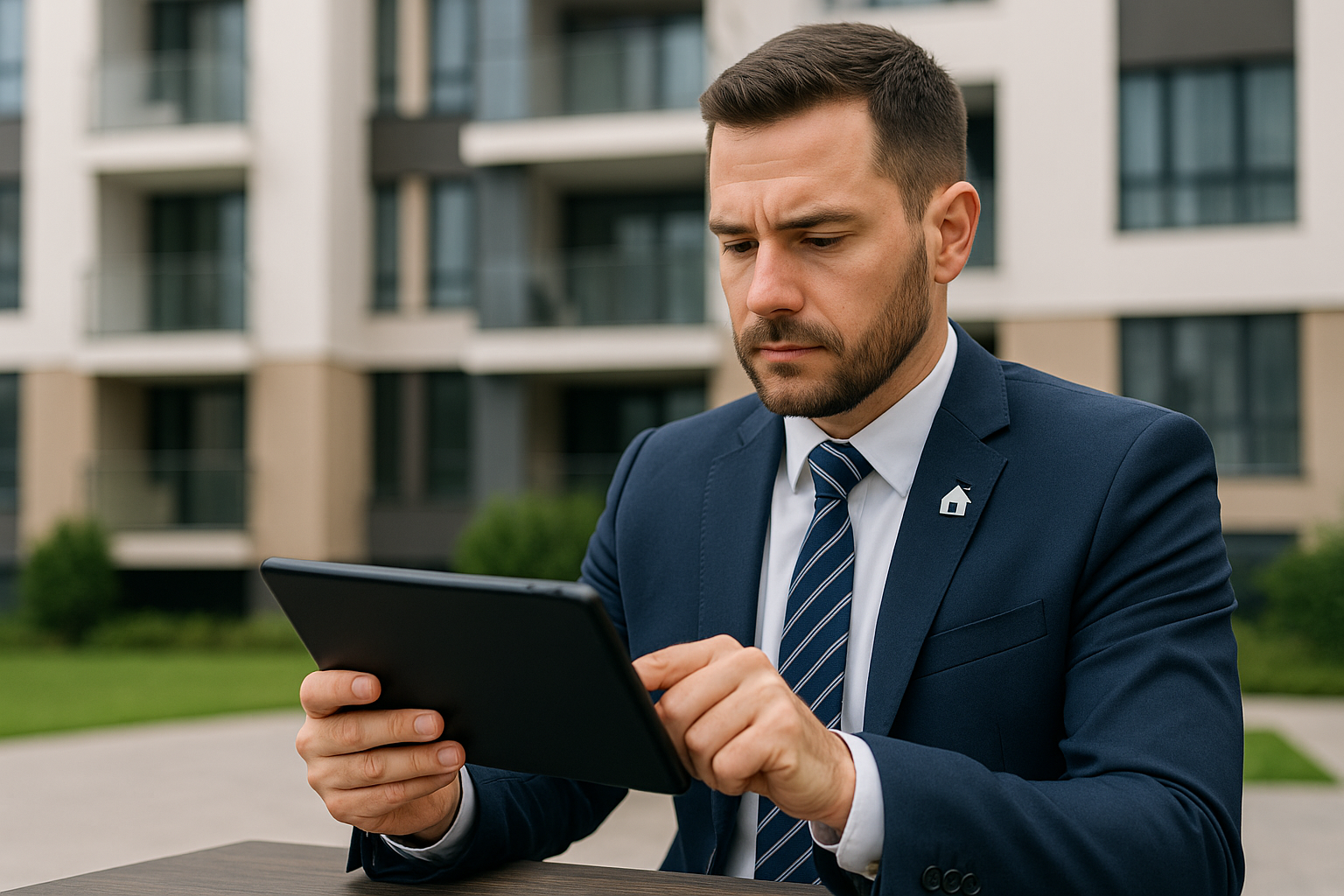
A Property Owners Association significantly improved its real estate management and community services by implementing NFC Vault, overcoming IT challenges and enhancing operational efficiency. This strategic move enabled secure, VPN-less access to files, streamlined administrative tasks, and maintained existing security measures, leading to a high standard of living for residents. The success story exemplifies how integrating NFC Vault can transform property management operations, offering a blueprint for similar organizations seeking to leverage technology for improved service delivery and operational excellence.
Ensures secure, efficient cloud transition with single sign-on, streamlined user management, and security compliance.
Advanced protection ensures data integrity and recovery with blocking, auto-restoration, and business continuity features.
Seamless cloud integration for secure file access without VPNs or manual setup. Simple and effective management.
Secure remote file access without VPN. Enhanced with NFC vault and CentreStack for high-performance connectivity.
Boost productivity with offline access and background sync — ideal for remote work and unstable internet areas.
Prevents simultaneous file edits to protect document consistency and ensure real-time collaboration.
Our team will get back to you shortly.